Look inside
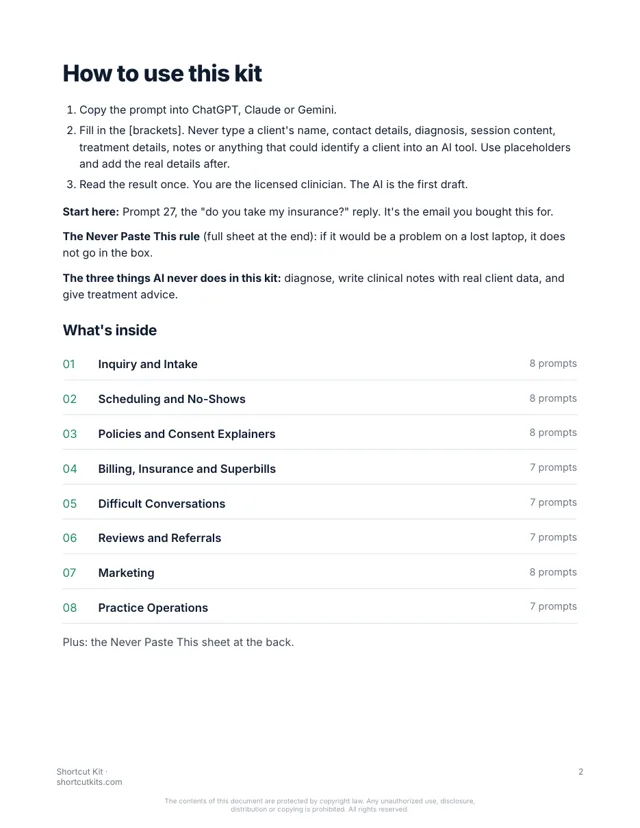
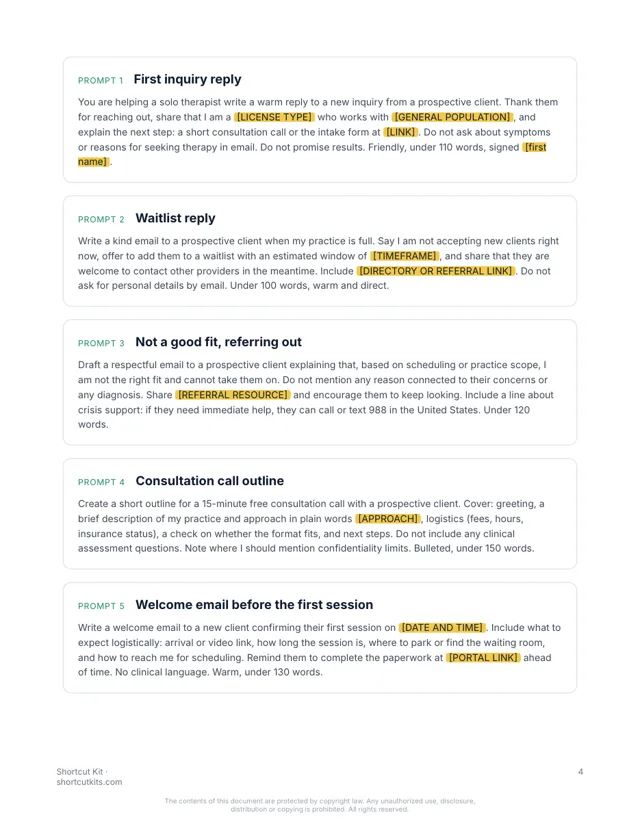
28 pages. Every prompt is one paragraph you paste as is. Real pages from the kit:
Sixty prompts for inquiries, intake, scheduling, billing and the hard conversations. Written for private practice. No client data in the AI tool. $27.
Write a warm reply to a new inquiry for therapy services at [PRACTICE NAME]. Say thank you, explain what happens next (a brief consultation call), share general availability [DAYS/TIMES] and the fee range [RANGE]. Do not ask about symptoms or diagnosis in email. Under 110 words.
Thank you for reaching out. I'd love to learn a bit about what you're looking for. The next step is a short consultation call, no pressure, to see if we're a good fit. I currently have openings on weekday afternoons. My fee range is noted below, and I'll explain insurance and superbills on the call. Just reply with a couple of times that work for you.
Brackets stay blank in the AI tool. Nothing clinical ever goes in.
But that’s the inbox. Inquiries that need a reply tonight or they book someone else. No-shows. Superbill questions. The fee increase letter you’ve been putting off since spring.
The practice consultant said put an FAQ on your website so they stop asking. They don’t read it. The $3,000 course covered “systems” and never wrote one email for you. And nothing clinical can go anywhere near an AI tool, so you’ve mostly left it alone.
Every prompt is built for a private practice, organized by the task you're avoiding, and uses placeholders so no client information, no PHI, and nothing from a session ever leaves your desk. Paste the prompt, fill in the blanks, send.
Warm first replies, consultation scheduling, intake paperwork cover notes, waitlist updates.
Reminders, late-cancel notes, reschedule replies, holiday closures, all with your policy baked in.
Plain-English explainers for cancellation, confidentiality limits, telehealth, and fees. Non-clinical.
Superbill explainers, out-of-network notes, late-payment nudges that stay kind, fee increase letters.
Termination with care, boundary setting, referrals out, responding to an upset client.
Referral partner introductions, thank-you notes, directory profile copy. Board-compliant.
Website copy, directory profiles, blog outlines, newsletters. No outcome claims, ever.
Intake SOPs, assistant onboarding, out-of-office, weekly practice summary.
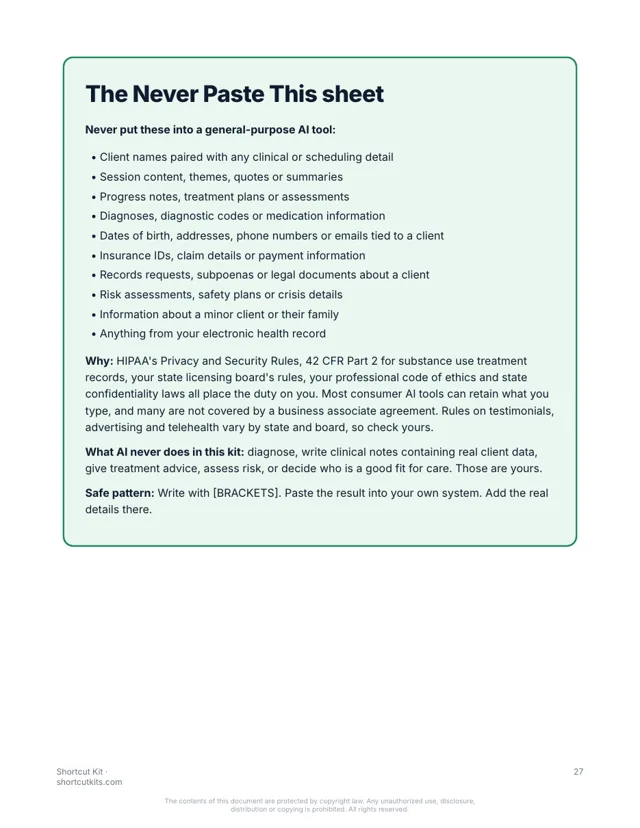
What stays out of AI tools, on one page, plus the three things AI never does for a clinician.
28 pages. Every prompt is one paragraph you paste as is. Real pages from the kit:
Nothing hidden. Tap a section to see every prompt in it.
The kit is organized by task, not by topic. Go straight to the one on your desk.
Works in ChatGPT, Claude or Gemini. Brackets keep client details out of the box.
You're the licensed clinician. The AI wrote the admin draft. Thirty seconds instead of fifteen minutes.
Therapists, counselors, psychologists and social workers running a private practice who are done being their own front desk. Not for agencies, not for software people, not for anyone looking for a 10-hour course.
It’s not a $3,000 practice-building course. It's not a chatbot. It won't diagnose, write clinical notes, or touch client data. A licensed clinician reviews everything. That's the point.
Any of them. ChatGPT, Claude or Gemini, and the free versions work fine.
You never put client information in. Every prompt uses blanks like [FIRST NAME], and you add the real details in your own email. The kit includes a one-page Never Paste This sheet built around HIPAA. No client names, diagnoses or session details ever go into the AI, and no prompt writes clinical notes or gives clinical advice.
Yes. It works for solo and group practices. Follow your practice's HIPAA policies, and use the Team license if your front desk will use it too.
If you can copy and paste, yes. Pick the task, paste the prompt, fill in the blanks.
Each kit is for one person. Add the Team license at checkout to cover up to 5 people, including your front desk and billing staff.
Your download page opens the moment you pay, and the same link arrives by email within the hour. It’s a PDF that works on any device.
All sales are final, including accidental or duplicate purchases. That’s why you can see sample pages and try a prompt free before you buy.
Instant digital download. All sales are final, including accidental or duplicate purchases.
Imagine “do you take my insurance?” answered in thirty seconds, warmly, with the next step built in. The intake packet went out on its own. The fee letter is written and it’s three sentences long.