Look inside
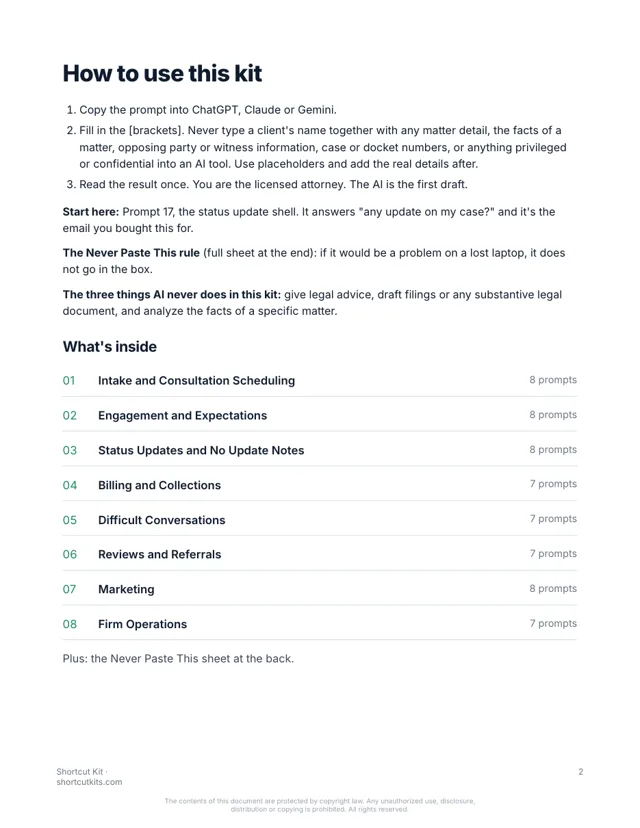
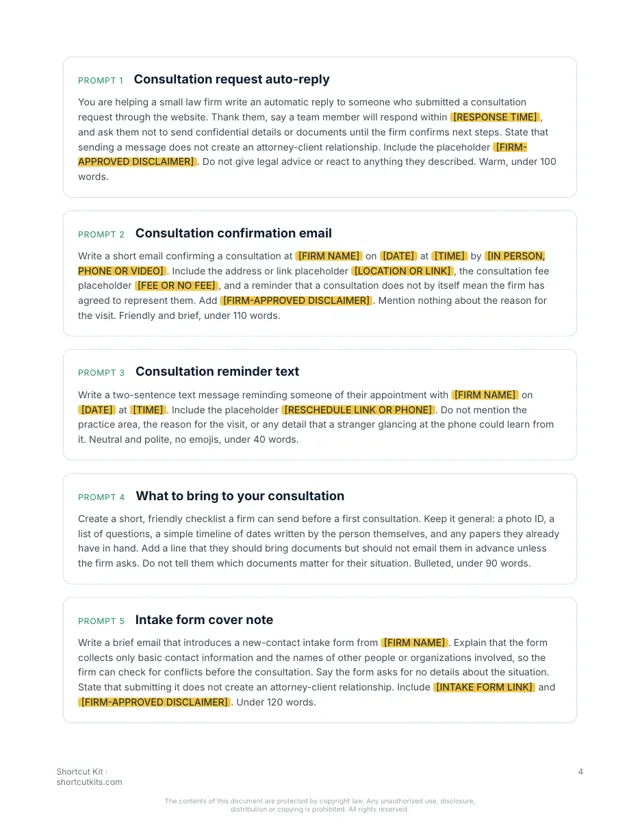
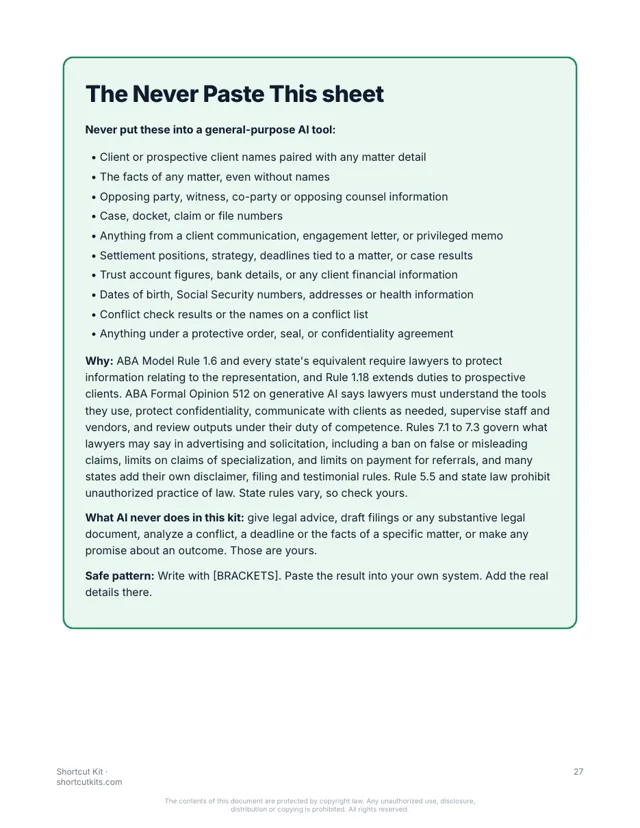
28 pages. Every prompt is one paragraph you paste as is. Real pages from the kit:
Sixty prompts for intake, status updates, billing and the hard conversations. Client communication only, never legal work. No client data in the AI tool. $27.
Write a short status email to a client saying there is no new development on their matter this week, that this is normal at this stage [STAGE IN GENERAL TERMS], and when they will hear from us next [DAY]. Do not describe the matter, the facts, or any strategy. Under 80 words.
Hi there, a quick note to say there's no new development this week. That's expected at this stage, where we're waiting on the other side's response. You'll hear from me by next Friday either way. If anything comes up before then, I'll reach out right away.
Brackets stay blank in the AI tool. Nothing about the matter, ever.
But that’s the inbox. The same question from six clients. Intake replies that have to collect without analyzing. Invoice cover notes. A review that has to be answered without confirming anyone is a client.
The practice advisor said hire a paralegal or an intake specialist just to answer the inbox. That’s $50,000 for emails. The $5,000 marketing program never wrote one update for you. And nothing about a matter can go anywhere near an AI tool, so you’ve mostly left it alone.
Every prompt is built for a small firm, covers only client communication and firm operations, and uses placeholders so no client name, matter fact or opposing party ever leaves your desk. No legal advice, no filings, no analysis. Paste the prompt, fill in the blanks, send.
Inquiry replies, consultation scheduling, pre-consultation checklists, conflict check intake scripts.
What to expect, how billing works, how to reach us, engagement letter cover notes.
Weekly updates, 'no update' notes, milestone confirmations. Never the facts.
Invoice cover notes, retainer replenishment, payment plans, trust account explainers in general terms.
Declining representation, scope creep, unresponsive clients, closing a matter, upset clients.
Review requests and responses that never confirm representation.
Bios, practice page copy, newsletters, speaking pitches, with placeholders for required disclaimers.
Intake SOPs, paralegal onboarding, out-of-office, weekly firm summary.
What stays out of AI tools, on one page, plus the three things AI never does in this kit.
28 pages. Every prompt is one paragraph you paste as is. Real pages from the kit:
Nothing hidden. Tap a section to see every prompt in it.
The kit is organized by the moment in the engagement. Go straight to the one in your inbox.
Works in ChatGPT, Claude or Gemini. Brackets keep client and matter details out of the box.
You're the attorney. The AI wrote the admin draft. Thirty seconds instead of fifteen minutes.
Attorneys and office managers at solo and small firms who are done being the status desk. Not for BigLaw, not for software people, not for anyone looking for a 10-hour course.
It’s not a $5,000 marketing program or a new hire. It's not a chatbot. It never gives legal advice, drafts a filing, or analyzes a matter. Client communication only. A licensed attorney reviews everything. That's the point.
Any of them. ChatGPT, Claude or Gemini, and the free versions work fine.
You never put client information in. Every prompt uses blanks like [FIRST NAME], and you add the real details in your own email. The kit includes a one-page Never Paste This sheet built around ABA Model Rule 1.6 and state bar guidance on AI. No client confidences go into the AI, and no prompt gives legal advice.
It covers the client communication every small firm sends: intake, status updates, billing, fee conversations and reviews, across family, estate, injury and business practices. Review everything under your state's rules.
If you can copy and paste, yes. Pick the task, paste the prompt, fill in the blanks.
Each kit is for one person. Add the Team license at checkout to cover up to 5 people, including your paralegals and intake staff.
Your download page opens the moment you pay, and the same link arrives by email within the hour. It’s a PDF that works on any device.
All sales are final, including accidental or duplicate purchases. That’s why you can see sample pages and try a prompt free before you buy.
Instant digital download. All sales are final, including accidental or duplicate purchases.
Imagine “any update on my case?” answered in thirty seconds with where it stands, what’s next and what you need from them, and nothing about the matter itself. The intake reply went out on its own. The review response confirmed nothing.